Events...
Ruin raids and scheduels are posted in the Forums
in the Members Only section, please check there
for updates.
As of right now, our scheduel is as listed below:
Mon - ZG
Tues - AQ20
Wed - Floating 20 man day ie if an instance reset
or need to finish one of the the previous attempts.
Thurs - Day off (use this day to restock supplies,
ie tubers, ndb, pots, etc)
Fri - 40 man content
Sat - 40 man content
Sun - Day off, possible BG team day. (use this
day to restock supplies, ie tubers, ndb, pots, etc)
We may or may not resume use of Group
Calendar in the future, so I've left all of the information and
setup tutorial in-tact, below.
Click
here to download the Group Calendar from Curse-Gaming.
The channel which
we use to connect to the Group Calendar is "ruinguild".
If you aren't sure how to connect to the addon or even
install it in the first place, scroll down for a tutorial.
What is Group Calendar?
It's pretty damn awesome,
that's what! It allows us to scheduel events such as weekly Instance
raids, PvP Battlegrounds, Birthdays, and just about anything else
that you can imagine.
Here is how to
get it setup for yourself:
- Click
here to download the Group Calendar from Curse-Gaming.

- Copy the folder out
of the .zip that you download from Curse-Gaming:

- And paste it into your
WoW\Interface\AddOns folder:

- When you start-up WoW
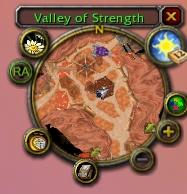
again, you will see that the Sun/Moon icon attatched to your mini-map
has changed; it now has a Group Calendar icon attatched to it.
To access the Group Calendar, simply click on the Sun/Moon
icon.
- After opening
up the Group Calendar, go to the Channel tab. There is
two ways you can "connect" to our Group Calendar channel. You
can either select the "Automatic channel configuration" check
box, or you can manually add our channel by clicking the "Manual
channel configuration" check box like in the picture below. If
you do it manually, make sure you set the channel name as "ruinguild".
There is NO password for our channel. After doing
either of those, hit "Apply changes." If you have done everything
correctly, you will see in green letters at the bottom of the
channel tab "Status: Data channel is connected."

- Here is our lovely calendar.
The flashing border around a day of the calendar indicates that
that day is today.

- Clicking on a day on
the calendar will bring up the events for that day. You can either
click on an individual event for more info or create a new event
yourself.

- When creating a new
event, this is the window that you will see. After creating
an event, be sure to check the "[Your Character Name]
will attend" box. You don't want to miss out on your
special event :). You can also create a birthday event or schedule
a meeting.

- You can sign up for
an event after it is placed on the calendar. When signing up,
you can also add a comment to go along with it that everyone will
be able to see. You can also say that you will NOT be attending.
We encourage EVERYONE to at least mark yes/no if they
are attending.

- Lastly is the attendance
view. You can see who has signed up for the event and how many
of each class have signed up.

Group Calendar is an awesome
tool that is a requirement for Ruin. If you have
any problems installing, configuring or using it, please contact
an Officer and they will be more than happy to assist you.